
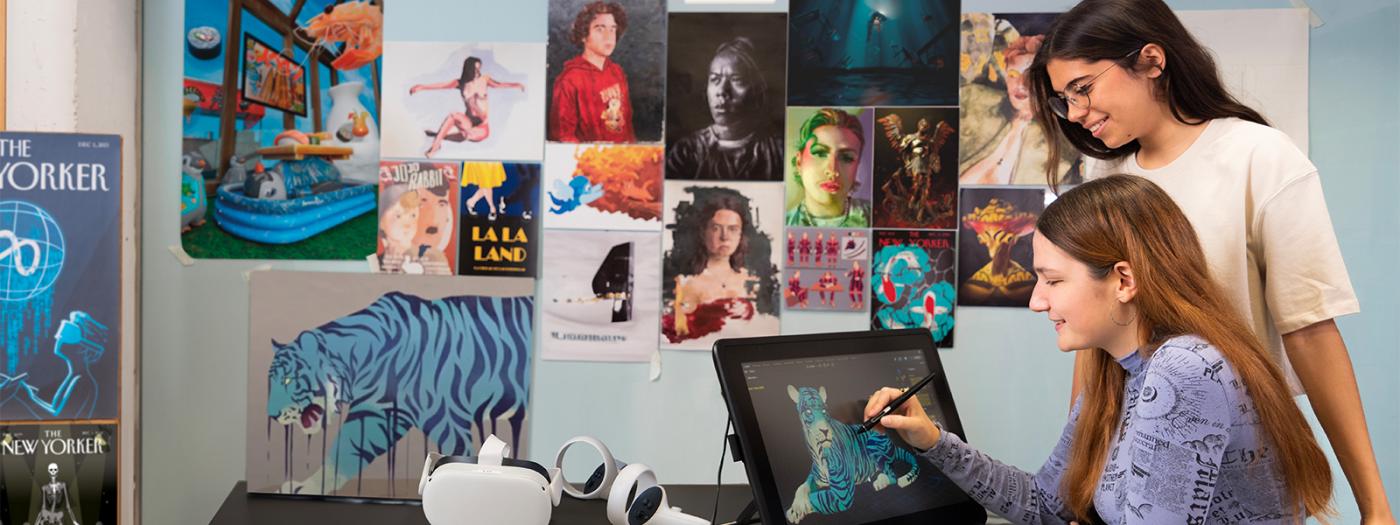
The course will introduce students to digital graphic illustration. They will learn to work with Photoshop and Illustrator software, become familiar with the interface, and develop artistic projects within the field of digital graphic illustration. Throughout the semester, students will be required to develop projects in which they must incorporate all the knowledge acquired in the course.
Titular Professors
No prior knowledge is required.
Master the basic tools of Photoshop and Illustrator to create and edit digital images.
Apply essential design and composition principles to illustration projects.
Develop complete creative workflows, from concept development to final presentation.
Produce original and coherent illustrations, adapted to different briefs and styles.
Understand the technical foundations of digital imagery, including resolution, color, and preparation for print or screen.
1. Introduction to Illustration
- What is illustration?
- Main characteristics and added value as a visual language.
2. Introduction to Photoshop and Image Editing Tools
- Basic editing tools.
- Familiarization with the workspace and the layer system.
3. Properties of Digital Images
- Preparing images for print and screen.
- Resolution, dimensions, and color profiles.
4. Basic Use of Digital Color
- Differences between RGB and CMYK.
- Creating color palettes and color studies.
- Photoshop tools for applying and editing color.
5. Introduction to Visual Composition
- Compositional resources: visual flow, layout, focal point.
- Perception theory and Gestalt principles.
- Rhetorical figures as expressive tools.
6. Creative Process
- Stages of the creative process: conceptualization, development, and presentation.
- Tools such as mind maps, idea lists, and visual brainstorming.
- Applying the process to real projects based on briefings.
7. Introduction to Children's Pattern Design
- Characteristics of patterns.
- Children's style applied to pattern design.
8. Introduction to Vector Style with Illustrator
- Characteristics of vector illustration.
- Adapting personal style to vector drawing.
9. Introduction to Illustrator
- Basic drawing and painting tools.
- Familiarization with the interface and vector workflow.
10. Creating Textile Patterns with Photoshop
- Tools and techniques for creating digital prints.
11. Introduction to Advertising Illustration
- Analysis of industry references.
- Characteristics of illustration applied to advertising.
The course will be taught using a variety of teaching methodologies. There will be a more lecture-based component in which the instructor will introduce specific concepts and tools related to Photoshop and Illustrator, as well as artistic references. To gradually acquire these concepts and practices, students will work on smaller, more focused exercises at the beginning of each project. This will help them progressively develop their final digital illustration piece. In doing so, students will be required to apply all the knowledge gained throughout the semester.
MD 1: Master Class with the support of audiovisual material.
MD 2: Exercise classes.
MD 3: Project-based learning.
MD7: Flipped Classroom
The subject has two evaluative components:
- Exercises: 10%
- Projects: 90%
The grade for the exercises will count for 10% of the final mark only if it improves the overall course grade; otherwise, only the project grades will be averaged.
In order to evaluate the projects, the good use of Photoshop and illustrator tools, originality, coherence, adequacy and final result will be considered.
The exercises or projects that do not present a correct written, grammatical and orthographic expression or a good structuring of the document, or do not include a consulted bibliography, will be evaluated with a maximum grade of 4.
Only work submitted through the eStudy submission portals within the established deadlines will be evaluated. No work sent by email or submitted after the deadline will be accepted.
You will have the right to review the grade of the projects on the day fixed by the teacher. In this review the student's grade can be raised or lowered.
All the recoveries will have a maximum grade of 5. The grade of the exercises or projects approved in the ordinary exam will be kept.
- Arnheim, R. (2006). Arte y percepción. Psicología del ojo creador (M. L. Balseiro Fernández-Campoamor, Trad.; 2n ed.). Alianza.
- Bang, M. (2023). Imagínatelo. Cómo funcionan las imágnes en los libros ilustrados (E.Iribarren & G. Iribarren, Trad.). Ekaré.
- Dondis, D. A. (2007). Sintaxi de la imagen, introducción al alfabeto visual (Primera edición, tirada 19). Gustavo Gili.
- Heller,Eva. Psicología del color: cómo actúan los colores sobre los sentimientos y la razón. Traduida por Joaquín Chamorro, Primera edición, Editorial Gustavo Gili, 2004.
- Heller, S., & Arisman, M. (Ed.). (2000). The education of an illustrator. Allworth Press.
- Hornung, David. Color. Curso pràctico para artistas y diseñadores. Traduido por Jesús de cos Pinto y Alicia Misrahi Vallès, Tercera edición, Editorial Promopress11, 2020.
- Joly, M. (2009). Introducción al análisis de la imagen (2a ed.). La marca editora.
- Korn Bruzzone, J. (2012). Lenguaje del diseño gráfico. Sus elementos y sistemas básicos, sus variables y estrategias visuales. Sello Mar Dulce.
- Lauer, D. A., & Pentak, S. (2012). Design Basic (8a ed.). Wadsworth, Cengage Learning.
- Loowis, A. (1947). Creative Illustration. The viking press.
- Male, A. (2018). Ilustración. Contexto, procesos creativos y proyección profesional (R.Gómez de los Riscos, Trad.; 1a ed.). Promopress.
- Munari, B. (2016). Diseño y comunicación visual (F. Serra i Cantarell, Trad.; 2a ed.). Gustavo Gili.
- Scheinberger, F. (2018). Ser ilustrador, 100 maneras de dibujar un pájaro o cómo desarrollar tu profesión (primera edición). Editorial Gustavo Gili.
- Zeegen, Lawrence. What is Illustration? First Edition, Rockport Publishers, 1 Agugust 20029.
- Zeegen, Lawrence. Principios de ilustración. Traduida por Silvia Pujol, Segunda edición, Editorial Gustavo Gili, S.L., 2013.
Color Theory
- Ceccarelli Simona. (2018) Color for Illustration part 1: All you need to know about color theory (maybe...) (Video) YouTube. https://www.youtube.com/watch?v=82NahznF1H0
- Ceccarelli Simona (2018) Color for Illustration part 2 Forget theory, keep calm and do color studies (Video) YouTube. https://www.youtube.com/watch?v=ZHbAGFbEwsM
Illustrator:
- La Estación Gráfica (n.d) Home (Youtube channel) Youtube. Retrieved May 13, 2007 des de https://www.youtube.com/@laestaciongrafica
- laestaciongrafica. (2020, agost 26). 02. Curso Adobe ILLUSTRATOR 2020 desde CERO ? - FORMAS Y TRAZOS - La Estación Gráfica. https://www.youtube.com/watch?v=QkIzIq_y1vc
- laestaciongrafica. (2020, octubre 24). 04. Curso Adobe ILLUSTRATOR 2021 desde CERO ? - CREAR FORMAS Y DEGRADADOS - La Estación Gráfica. https://www.youtube.com/watch?v=Z6_iV2AF4A0
- laestaciongrafica. (2022, febrer 23). 10 PRIMEROS PASOS si estás empezando en ILLUSTRATOR 2022. https://www.youtube.com/watch?v=-fE_wGBUN-s
- laestaciongrafica. (2021, setembre 18). 10. Curso Adobe ILLUSTRATOR | Practica dibujando letras con textura de Peluche ? La Estación Gráfica. https://www.youtube.com/watch?v=BYE_fCMlVwU
- Tutoriales de la tía Dan. (2020, maig 3). Adobe Illustrator CC 2017 Tutorial 12: Plasta y contorno. https://www.youtube.com/watch?v=wu-i6XBJuxs
- onoff! solutions. (2021, febrer 10). Cómo cambiar el grosor y el perfil del trazo en Adobe Illustrator. https://www.youtube.com/watch?v=O5-OML8BoYo
- Profeivan. (2020, octubre 22). Cómo crear efectos con pincel de arte en Illustrator. https://www.youtube.com/watch?v=vZ5rdwLhbvE